Skip to content
In development · Windows first · pricing and release date to be announcedIn development · Windows first
NexGen™
See the eight modes

Software by NexGen™

Type it rough. Send it sharp.

Prompt Regenerator rewrites what is in your text box into a prompt your AI tool can act on, then puts it back where you typed it.

Any text box on screenEight modesOne-step undoSkips password fields

Illustration of the flow: click into a text box, the icon appears at its corner, pick a mode, and the box refills.

Eight modes

One icon. A mode for each job.

Each card is a mode. Hover or tap a card to see what it does. Under each one is an example: what you might type, and what goes back into the box.

A rough dark stone, half of it cut into a faceted blue crystal, on a slate hexagon floor
Mode 01

General prompt

Turns a loose request into a clear brief: the goal, the reader, the format and the limits.

  • Adds the structure AI tools respond to
  • Keeps your intent and your facts
  • A good default for any chat tool
4K
Before

write something about why sleep matters for my newsletter

After

Write a newsletter section on why sleep matters. Reader: my newsletter subscribers, a general adult audience. Length: about 250 words. Tone: direct and practical, no hype. Structure: one opening line that states the point, three short paragraphs, then one thing the reader can do tonight. Do not include statistics or health claims you cannot source.
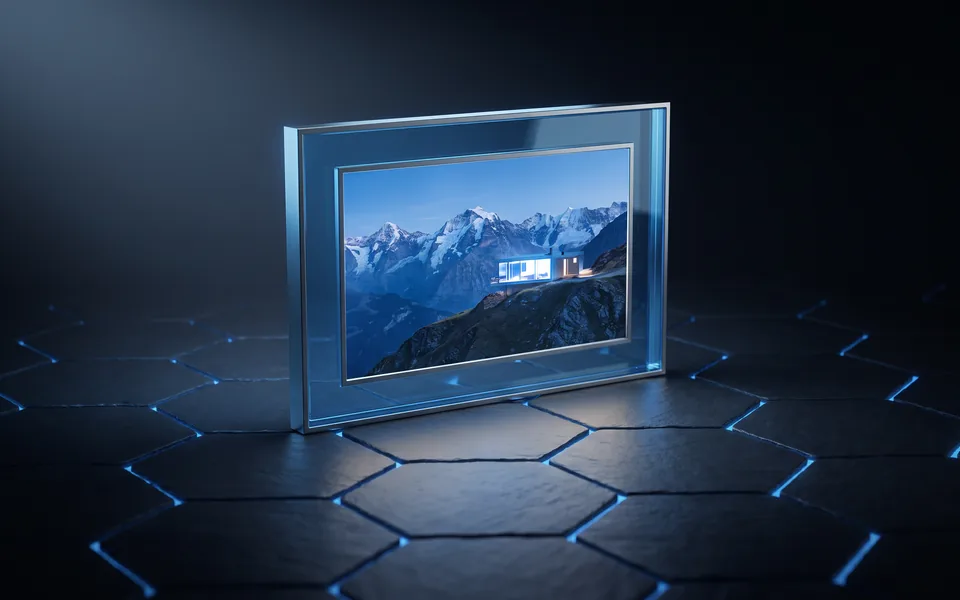

A glass picture frame on slate hexagons showing a glass house on an alpine ridge at blue hour
Mode 02

Image prompt

Builds a complete image prompt: subject, light, lens, composition and what to leave out.

  • Subject first, then light and lens
  • Exclusions spelled out
  • Aspect ratio stated
4K
Before

cool picture of a glass house in the mountains

After

Photoreal exterior of a glass-walled house on a mountain ridge at blue hour. Warm interior light spilling onto the slope, snow-capped peaks behind, clear sky. 35mm lens at eye level, soft cinematic contrast. Composition: house on the right third, open sky on the left. No people, no text, no lens flare. Aspect ratio 16:9.

A row of floating glass panels like film frames, each showing a skier carving powder at dusk
Mode 03

Video prompt

Describes the shot the way a video model needs it: the action, the camera, the pace and the look.

  • One shot, one action
  • Camera movement named
  • Length and style stated
4K
Before

skier going down a mountain, make it look epic

After

One continuous 8-second shot. A lone skier carves through deep powder down a steep mountain face. Camera: low tracking shot that follows from behind, then swings alongside. Pace: slow motion, snow spray catching the light. Look: photoreal, cool palette, light film grain. No cuts, no on-screen text, no other people.

A tall untidy pile of grey hexagon tokens beside one short neat stack of glowing blue glass tokens
Mode 04

Credit Saver

The same request in fewer words, written to land on the first try so you spend fewer credits on retries.

  • Cuts filler, keeps every instruction
  • Asks numbered, in order
  • Tells the AI what to skip
4K
Before65 words

Hey so I was wondering if you could maybe help me out with something, I have this spreadsheet with a bunch of sales data from last year and I kind of want to figure out which months were the best and also maybe which products sold the most, and if it's not too much trouble could you also make it look nice? Thanks so much!!

After27 words

From the attached spreadsheet of last year's sales: 1) rank the months by revenue, 2) list the best-selling products, 3) return both as clean tables. No commentary.

Blue glass hexagonal blocks assembling into a tower on a slate hexagon floor
Mode 05

Code build

Turns “make me a…” into a spec an AI coder can build from: scope, behavior, limits and what to hand back.

  • Fields and behavior listed
  • Constraints stated up front
  • Says exactly what to return
4K
Before

make me a contact form

After

Build a contact form as a single HTML file with inline CSS and plain JavaScript. Fields: name, email and message, all required. Validate the email format and show an error under any field that fails. On submit, disable the button while sending, then show a success or failure message without reloading the page. Use real labels and visible focus states, and make it work at 375px wide. No frameworks or external libraries. Return the complete file only.

A cracked black slate hexagon tile repaired with a glowing blue seam
Mode 06

Code fix and cleanup

Asks for the cause before the cure, then the smallest change that fixes it.

  • Root cause first
  • No unrelated refactors
  • Every changed line explained
4K
Before

my login is broken fix it

After

My login is broken. Before you change anything, find the cause. 1) Ask me for the error message, the code that handles login and what happens when I submit, if you cannot see them. 2) State the root cause in one sentence. 3) Make the smallest change that fixes it. 4) List each line you changed and why. Do not refactor, rename or reformat anything else.

A brushed steel fountain pen on slate hexagons drawing a thin line of blue light
Mode 07

Writing polish

Cleans up a message so it reads professionally and still sounds like you.

  • Fixes grammar and tone
  • Names, dates and amounts stay exact
  • Emails, posts and notes
4K
Before

hey just checking in on the invoice i sent last month, havent heard anything, need it paid asap

After

Hi, I’m following up on the invoice I sent last month, as I haven’t heard back. Could you confirm you received it and let me know when I can expect payment? I’d appreciate it being settled as soon as possible. Thank you.

A tall stack of thin glass sheets, perfectly aligned, with blue light along their edges
Mode 08

Full document

Rewrites long text section by section, so nothing is cut or summarized away.

  • Handles whole papers
  • Every section comes back
  • Headings and order preserved
4K
BeforeOne passage from a longer paper

…in conclusion the data shows alot of things that are important and their are several reasons why this matters which we will now discuss in more detail below in the next section…

After

…The data points to several findings. The next section covers why each one matters…

How it works

Three clicks, same text box

Click into a text box

A small glowing icon appears at the corner of the field you are typing in. When you are not using it, it stays out of the way.

Pick a mode

The icon unfolds a short menu. Choose the mode that matches where the text is going: a chat tool, an image or video model, an AI coder, or a person.

The box refills

Your text is rewritten for that purpose and placed back in the same box, ready to send. Not what you wanted? Undo it in one step.

Safeguards

The rules it is built to

A rewriting tool sits close to everything you type. These are the rules Prompt Regenerator is being built to follow.

  • Your meaning stays yours. Names, quotes and numbers are protected from rewording. A rewrite that changes the request counts as a failure.
  • One step back. Every refill can be undone in one step, and the original text stays recoverable.
  • Secure fields are off limits. Password fields and other secure inputs are never read or acted on.
  • A fallback when an app says no. If an application blocks direct replacement, the rewrite goes to your clipboard and you are told.
  • Out of the way. The icon never covers your text, takes focus or slows your typing.
  • Long text, whole. Documents are rewritten section by section without truncating or dropping any.
Availability

Windows first

Prompt Regenerator is in development. The first release is for Windows, where the icon can appear on a text box in any application. Versions for iOS and Android are planned. Pricing and a release date have not been announced.

FAQ

Questions

What is Prompt Regenerator?

Prompt Regenerator is a Windows tool in development by NexGen. A small icon appears at the corner of the text box you click into. Pick a mode and it rewrites your text for that purpose, then refills the same box with the result.

Where does it work?

The first release targets Windows and is built to work in any application with a text box, not only in browsers. Where an application blocks direct text replacement, the rewrite is copied to your clipboard and you are told. Mobile versions for iOS and Android are planned.

Will it change what I meant?

It is built not to. Names, quotes and numbers are protected from rewording, and if a rewrite fails its checks your original text is left as it was.

Can I undo a rewrite?

Yes. Every refill can be undone in one step, and the original text stays recoverable.

Does it read password fields?

No. Password fields and other secure inputs are never read or acted on.

How much does it cost, and when is it out?

Pricing and a release date have not been announced.

Who makes it?

NexGen, based in Reston, Virginia.